Prioritizing Spinal Health in a Digital Era
Desk-bound roles frequently lead to musculoskeletal issues, as sedentary work is associated with a higher incidence of neck pain compared to other occupations. Prolonged periods of sitting, often paired with poor posture, place significant stress on the cervical spine and lead to muscle deconditioning. The goal of an ideal workspace is to create a neutral environment, whether you are at home or in an office, to minimize the persistent strain that characterizes modern digital work.
At southeastchiro.com, we emphasize that spinal health involves more than just selecting the right equipment. While adjustments like bringing screens to eye level or maintaining proper lumbar support are essential, they are only one part of total wellness. Unlike isolated DIY fixes, professional chiropractic care acts as a partner in injury prevention by aligning the spine, relieving tension, and assessing the specific imbalances that standard office setup guides may overlook.
Understanding Tech Neck and Its Impact
 The term Tech neck, often referred to as computer neck syndrome, describes a condition characterized by muscle fatigue, stiffness, and pain in the neck and upper back. This issue stems from the repetitive, prolonged forward bending of the neck required to view smartphones, tablets, and computer screens. In a healthy, neutral posture, the head rests directly above the shoulders, allowing the spine to support the weight of the skull with minimal muscular effort. Frequent use of digital devices often forces users into a persistent downward gaze, causing the body to abandon this structural alignment in favor of a slouched, forward-head position.
The physical impact of this posture is dictated by basic physics. An average human head weighs approximately 12 pounds, yet bending the neck forward by just 45 degrees can place nearly 50 pounds of sustained force on cervical structures, per New York-Presbyterian Hospital data. According to Aurora Health Care, every inch the head shifts forward from its neutral position adds roughly 10 pounds of pressure to the neck muscles. This constant, heavy load causes the discs, joints, and ligaments of the cervical spine to endure excessive strain, which contributes to degeneration and chronic discomfort.
At southeastchiro.com, our approach emphasizes that screen viewing angles are critical in managing these forces. While competitors may focus solely on the desk setup, we encourage patients to address the fundamental imbalance created by poor monitor height. Keeping your device at eye level significantly reduces the neck's flexion angle. Implementing these adjustments, alongside routine chiropractic care to restore natural spinal mobility, helps prevent the long-term musculoskeletal damage that occurs when static screen time replaces healthy, ergonomic movement. Small changes in how you position screens now can fundamentally alter how your spine ages over the coming years.
Recognizing the Warning Signs of Muscle Strain
The physical toll of maintaining static, forward-leaning postures during long workdays often manifests well beyond simple soreness. Frequently, what begins as minor discomfort evolves into chronic fatigue within the neck and upper back. Per Aurora Health Care, this repetitive strain subjects the cervical spine to significant mechanical stress, particularly when the head shifts forward, adding roughly 10 pounds of pressure for every inch of deviation from a neutral alignment.
What are the common symptoms of tech neck?
Common symptoms of "tech neck" typically include chronic pain, soreness, or stiffness in the neck and shoulder area due to prolonged poor posture. This strain can lead to decreased range of motion, musculoskeletal fatigue, and frequent headaches. Additionally, because the neck muscles and spine are under increased pressure, individuals may experience nerve-related symptoms such as tingling, numbness, or referred pain traveling into the arms and hands. Other physical manifestations may include eye pain or discomfort, as well as jaw pain resulting from strained facial and neck muscles. Left unaddressed, this condition can also contribute to upper back issues, chest muscle tightness, and, in more severe cases, spinal complications like herniated discs.
When home-based relief strategies like targeted stretching fall short, professional intervention often becomes necessary. While some people seek out standard physical medicine, the chiropractic care offered at Southeast Family Chiropractic focuses on restoring spinal alignment and balance to address the underlying root causes of discomfort. Persistent numbness, radiating pain, or any symptom that interferes with daily function should prompt an evaluation to rule out advanced disc or nerve involvement that requires expert management.
Designing the Ideal Ergonomic Workspace
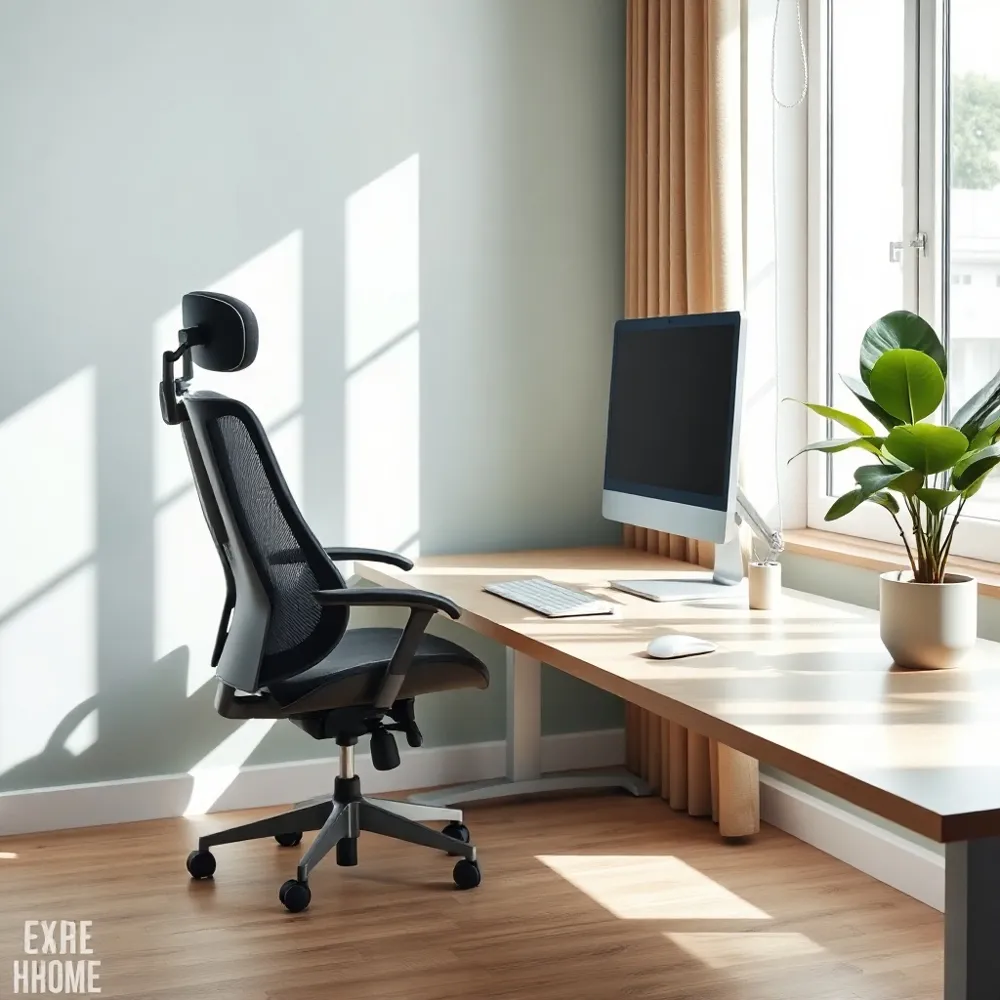 Creating an effective workspace does not require expensive equipment, but it does demand a focus on alignment to reduce musculoskeletal stress. To prevent strain, position your monitor directly in front of you at arm’s length, roughly 20 to 40 inches away, with the top of the screen at or slightly below eye level. This setup helps prevent the forward-head posture that places excessive ten pounds of extra pressure on your neck muscles for every inch your head drifts forward.
For seating, prioritize a chair that supports your lower back's natural curve. Adjust the height so your feet rest flat on the floor or a stable footrest, keeping your thighs parallel to the ground. When typing, ensure your keyboard and mouse are close enough to keep your elbows at a 90-degree angle, which prevents reaching and shoulder hiking. While these adjustments form the foundation of spinal health, at southeastchiro.com, we emphasize that even the most optimized setup requires regular movement to avoid the dangers of static loading.
Simple modifications can make a significant difference. If you use a laptop, an external keyboard and a stand will prevent the screen-hunching that often forces the neck into a 45-degree angle, a position capable of exerting nearly 50 pounds of force on the cervical spine. To maintain circulation and prevent muscle deconditioning, stand up to stretch every 30 to 60 minutes. Incorporating a standing desk provides a useful way to alternate positions, though remember to engage your glutes and core rather than relying on your joints for passive support.
Alleviating Tension Through Targeted Movements
 The most effective strategy to counter the fatigue of desk work is the consistent implementation of microbreaks. Experts suggest moving, walking, or stretching every 15 to 30 minutes to disrupt static loading, which occurs when muscles remain fixed in place for extended periods 15-30 minutes. While long-term spinal support is provided by the professional adjustments offered at southeastchiro.com, you can manage daily muscle tightness by actively shifting your position and incorporating basic range-of-motion exercises.
How can I alleviate neck pain caused by working at a computer?
To alleviate neck pain from computer use, you should prioritize regular movement by taking breaks every 10 to 15 minutes to lift your head, look up, and stretch your neck muscles 10-15 minutes. Beyond frequent movement, creating an ergonomic workstation is vital; position your monitor at eye level so your screen sits directly in front of you, which helps prevent the forward-head posture often labeled as tech neck eye level. Incorporating specific exercises, such as chin tucks that strengthen deep neck flexors and shoulder blade squeezes, can help correct posture and reduce muscle strain exercises. If stiffness or discomfort persists, performing gentle, targeted stretches throughout the day will help release tension built up from hours of desk work. Consistently maintaining these habits ensures your neck muscles are not held in a static, strained position for prolonged periods, promoting long-term spinal health.
- Perform shoulder shrugs and upper trapezius stretches to release built-up tension.
- Use the 20-20-20 rule to refocus your eyes and break the cycle of visual strain.
- Incorporate light resistance exercises to build the muscle endurance needed to support a neutral spine.
- Prioritize consistency over intensity, as frequent short movements are more effective than sporadic, taxing exercise sessions.
Reclaiming Alignment Through Corrective Exercise
Correcting the physical imbalances caused by persistent forward head posture requires more than just ergonomic setup adjustments. While ergonomic improvements create a supportive environment, strengthening the deep neck flexors and the scapular stabilizers is essential for realigning the spine and alleviating the strain known as tech neck. Dedicated movements such as chin tucks help re-engage the muscles that keep the ears aligned over the shoulders, while specific exercises designed to retract the shoulder blades combat the rounded posture common in sedentary office roles.
Can exercises help fix bad neck posture and the 'tech neck' hump? Yes, targeted exercises can effectively help correct tech neck and improve postural imbalances caused by prolonged screen use. Strengthening exercises for the neck and upper back help support your head in a neutral position, while corrective stretches release the tightness that develops from constant forward-leaning. By consistently practicing movements like chin tucks and shoulder blade retractions, you can relieve muscle fatigue and reduce discomfort. However, these exercises are most effective when paired with lifestyle adjustments, such as elevating your screen to eye level and taking regular breaks to move. For a personalized approach to restoring spinal alignment and long-term comfort, consulting with your chiropractor can ensure you are utilizing the right corrective techniques for your specific needs.
Formalizing an exercise routine is most beneficial when guided by professionals who understand individual spinal health. At southeastchiro.com, patients receive personalized recommendations that prioritize long-term natural healing rather than quick fixes. Beyond specific exercises, broad lifestyle habits form the foundation of spinal mobility, including maintaining hydration to support cervical discs and managing stress levels that often trigger muscle guarding in the neck and shoulders, as noted by Aurora Health Care.
Optimizing Sleep for Spinal Recovery
Sleep acts as the primary window for your body to repair tissue, but if your position forces your spine out of alignment, you are likely to wake up with persistent stiffness or discomfort. Proper posture at night is just as important as the ergonomics you maintain during a workday.
What is the best sleeping posture for someone suffering from chronic neck pain?
The best sleeping positions for individuals with chronic neck pain are on your back or on your side, as both allow for better spinal alignment. When sleeping on your back, use a supportive pillow that maintains the natural curve of your neck, such as a rounded neck roll or a contour-shaped memory foam pillow. If you prefer sleeping on your side, use a firm pillow that fills the gap between your head and the mattress to ensure your neck remains in a neutral position parallel to your spine. Regardless of the position, you should always avoid sleeping on your stomach, as this forces your neck to turn to the side and strains the cervical spine. By keeping your spine neutral and avoiding pillows that are too high or stiff, you can reduce morning stiffness and prevent unnecessary tension on your neck muscles.
While southeastchiro.com recommends proactive spinal care, selecting the right pillow is a simple, effective change for your nighttime routine. Many patients struggle because they use pillows that do not adequately fill the gap between the neck and shoulder, leading to a tilted head position. We suggest replacing your pillow every one to two years to ensure it retains the necessary loft to support your head. By prioritizing these adjustments, you work toward long-term recovery and prevent the recurring cycles of pain often associated with poor sleep habits that exacerbate daily stiffness.
Building a Healthier Future at Your Desk
Achieving long-term spinal health requires a blend of consistent lifestyle changes and proactive adjustments. While refining your office ergonomics through monitor positioning and regular movement breaks can significantly reduce daily strain, these steps are most powerful when combined with a broader commitment to wellness. Strengthening your core and staying hydrated supports the structural integrity of your spine, helping to mitigate the cumulative effects of desk work.
For many, simple adjustments act as a vital safety net, but professional care remains an essential component of comprehensive recovery. At southeastchiro.com, personalized assessments help identify underlying misalignments before they manifest as chronic neck pain. By prioritizing your spinal alignment through both diligent daily habits and expert guidance, you can effectively prevent future injury and maintain your quality of life.